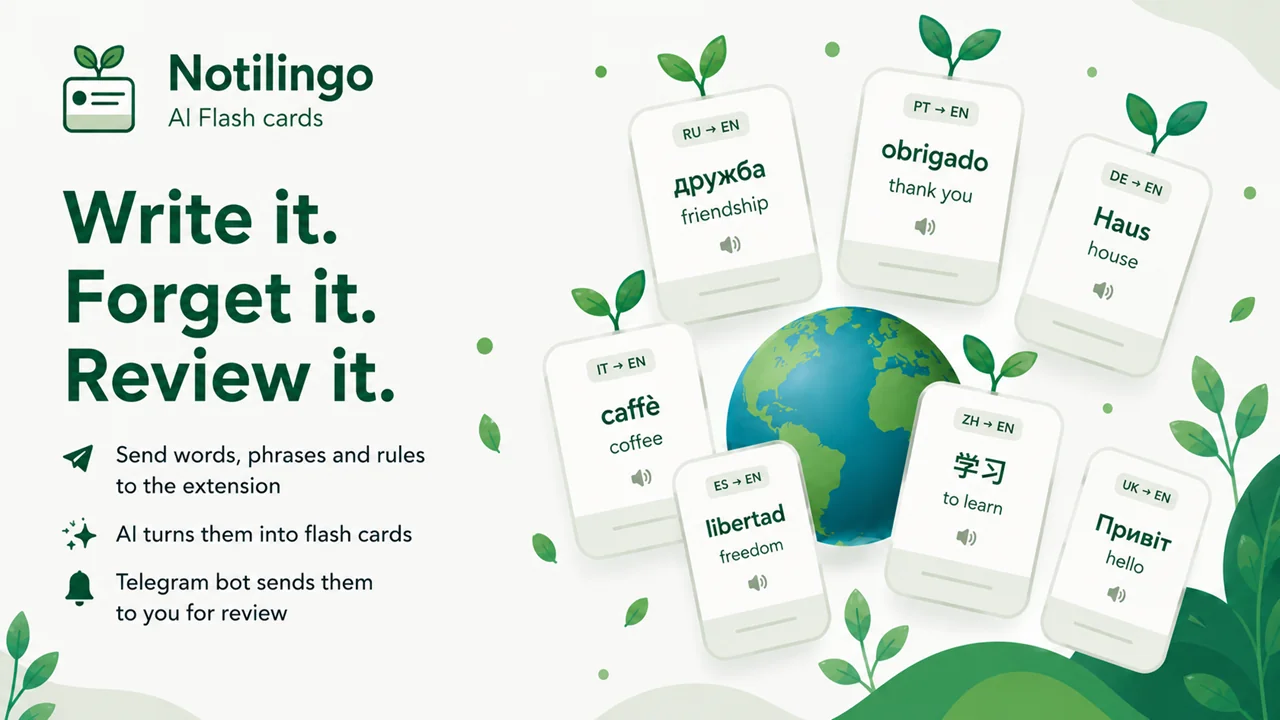

A Telegram bot that turns any note into a ready-made flashcard and reviews it with you on a spaced-repetition schedule. Interface in 10 languages, any of 9 to learn. Plus a browser extension that tops up the deck in one click.
Spaced repetition works — but only if the deck keeps growing. And typing in the translation, part of speech and an example for every new word by hand gets tedious fast. Most apps are also built for a single language and expect you to write the flashcard yourself.
Notilingo takes a different approach: send the bot a word or phrase, and it builds the finished flashcard for you, then delivers it for review on schedule. And it’s open to a broad audience — you simply pick the language you speak and the language you’re learning.
Send the bot a word, phrase or grammar rule — AI generates the flashcard: translation, explanation, usage examples. From there it comes back for review on a smart spacing schedule, and your progress and dictionary are always one command away inside the bot.
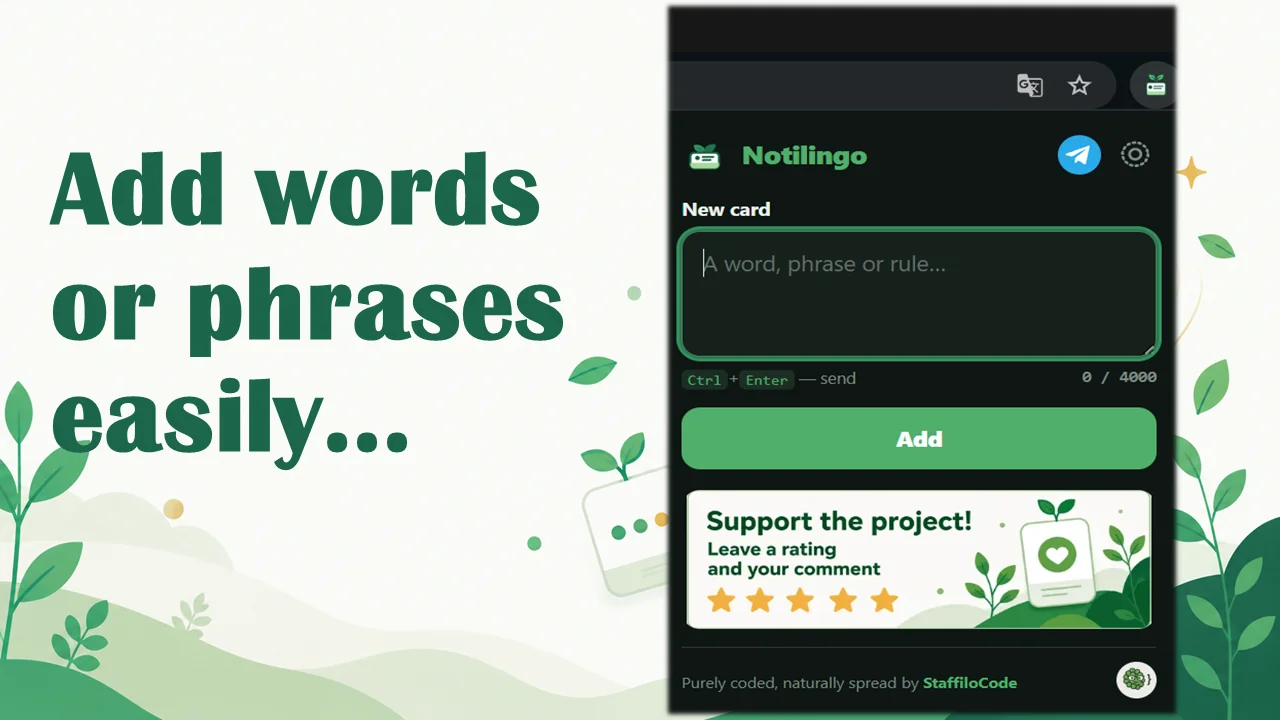
The browser extension is a convenient add-on on top: select a word on a page or type it into the popup, and it lands in your deck instantly, no switching to Telegram required.
The language you study and the interface language are chosen independently of each other.
From a simple note, the bot builds the whole flashcard — translation, explanation and usage examples. No manual typing required.
Every saved word, phrase and rule in one place, grouped by part of speech — easy to browse and review by eye.
How many cards are in the deck, how many you’ve learned, today’s and all-time accuracy, your streak, and your toughest cards — the whole picture at a glance.
Flashcards come back for review on a 1 → 3 → 7 → 21 → 60-day interval system — right when you’re most likely to forget.
1 to 10 cards a day, up to 3 delivery slots, and your own time zone — the schedule adapts to you, not the other way around.
Don’t want to wait for the scheduled delivery — the “Repeat cards” command starts a review session right now, off-schedule.
Add words from the extension popup or by selecting text and using the “Add to Notilingo” right-click menu — no need to open Telegram.
The extension never reads page content and never watches your history — the only thing that leaves is the text you typed or selected yourself. No trackers.
The bot is free. You can support development with a voluntary donation — Telegram Stars, ЮKassa (cards) or CryptoBot (USDT).
Got a question or a problem — the “Support” command sends a message straight to the dev team, without leaving the bot.
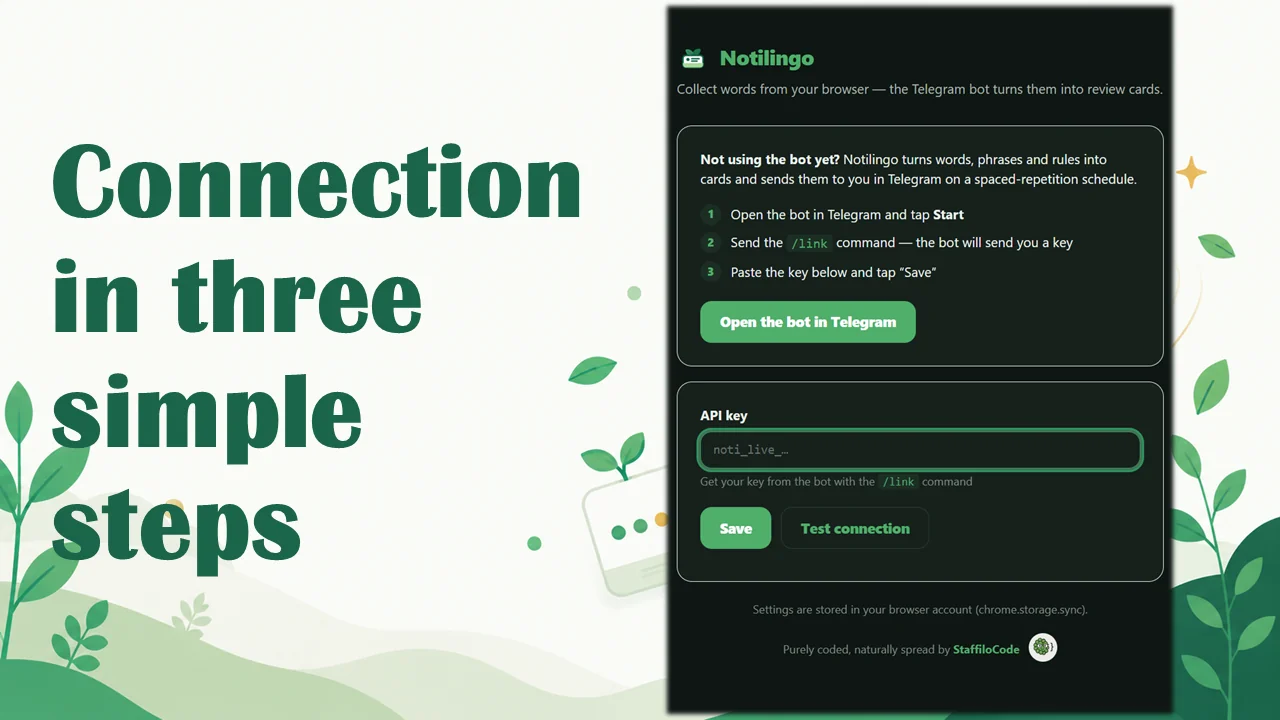
/link for a personal key and install the extension to add words straight from the browser.From a note to a finished flashcard — one message to the bot. Between “saw a new word” and “it’s in the deck” there are now seconds, not an app switch — which means more reviews and fewer forgotten words.
Tell us about your project — we'll respond honestly, no deck with 60 slides.
Start a conversation →